

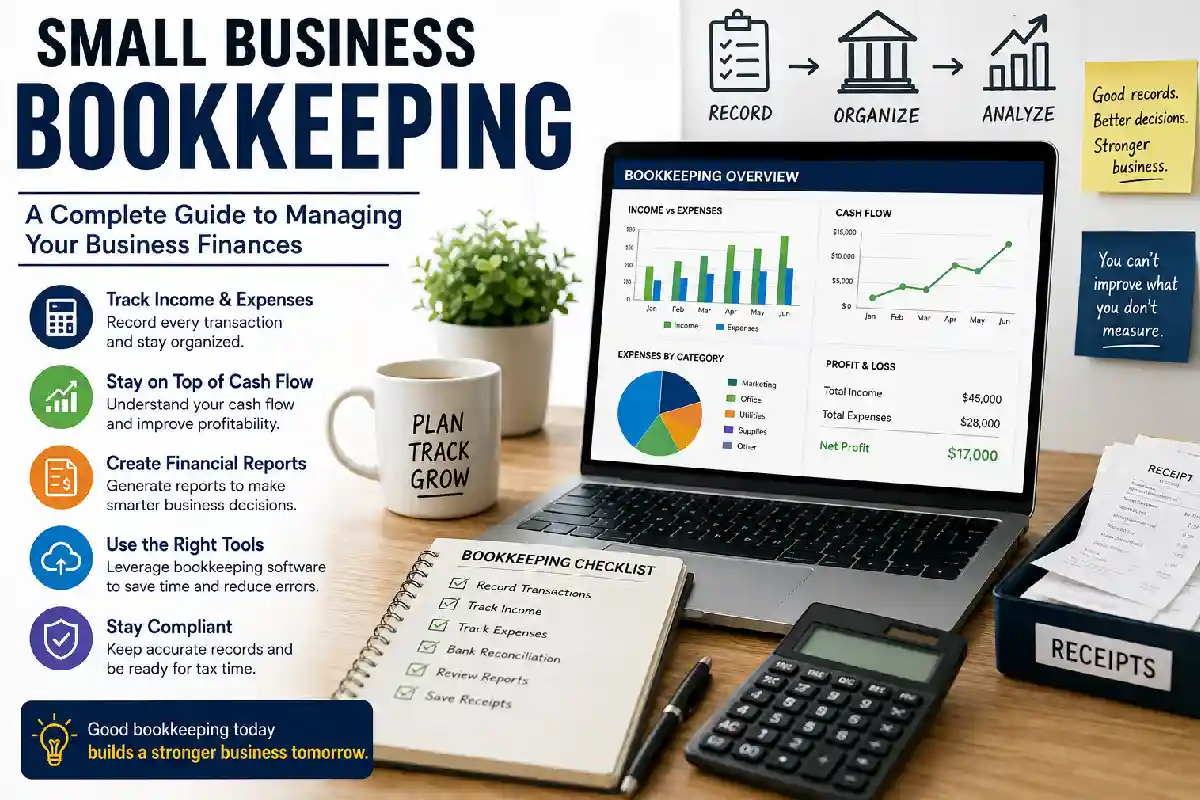
Small Business Bookkeeping: A Complete Guide to Managing Your Business Finances
Last Updated: September 21, 2026
Monitoring the financial aspect of your business is one of the most important things for anybody running a small company. Be it an internet shop, a consulting business, a local service company or a fast growing start-up, having the correct books will help you find your sources of income, the end destinations for your expenditures and overall state of your business.
Small business bookkeeping encompasses recording, managing, and tracking sales, costs, expenses, invoices, payroll, and other payments. Proper bookkeeping helps in simplifying tax preparations, accrual management as well as enhancing business insights and decision making.
This complete guide to bookkeeping is navigating through the basic principles of bookkeeping, single-entry and double-entry, ways to keep track of income and expenses, bookkeeping software, and common mistakes that can be made.
What is Small Business Bookkeeping?
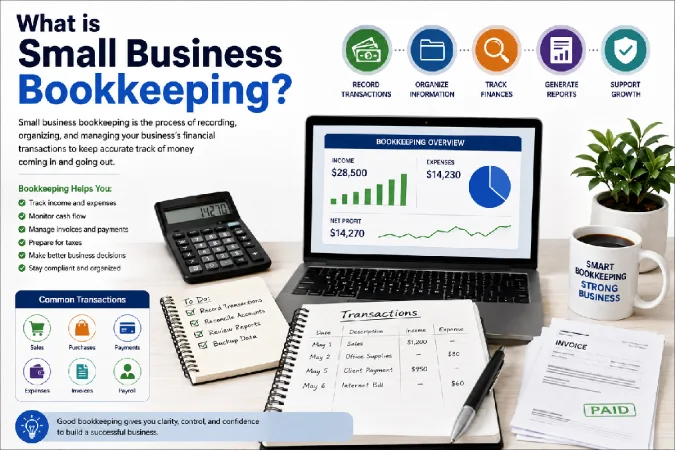
The term bookkeeping refers to the process of recording of any business transactions in a mechanized or manual method.
Whenever you take in any money in your business, pay a supplier, buy a piece of equipment, get money from a customer, or have an operating expense, there should be a record of it.
Bookkeeping provides the financial information needed to answer questions such as:
In terms of revenue,
- what was the company able to generate?
- Did the business spend enough?
- What is going up?
- What is the cash balance?
- Who still has a balance due?
- How lucrative is the business?
- Amount of potential tax liability?
Bookkeeping and accounting are connected but not equal. Bookkeeping deals mainly with recording and keeping track of all transactions; accounting takes the business data and uses it to measure performance, prepare reports and support business financials.
1. Bookkeeping Basics for Small Businesses
You‘ve got to start somewhere, and a number of two or three common holds can get you to the point where you have a consistently reliable bookkeeping system.
Separate Business and Personal Finances
The number one way to make bookkeeping easier is to keep business transactions separate from personal expenses.
Consider maintaining:
- A dedicated business bank account
- A separate business credit or debit card
- Business-specific payment accounts
- Organized receipts and invoices
Mixing personal and business transactions can make financial records confusing and increase the amount of work required during tax preparation.
Record Every Transaction
Don’t rely on memory. Record transactions consistently throughout the year.
Common transactions include:
- Sales revenue
- Customer payments
- Supplier invoices
- Office expenses
- Advertising costs
- Software subscriptions
- Rent and utilities
- Payroll
- Loan payments
- Equipment purchases
- Bank fees
Even relatively small transactions can become significant when accumulated over an entire year.
Keep Supporting Documents
Receipts, invoices, bank statements, contracts and other financial records are documents that demonstrate the accuracy of your bookkeeping records.
A filing system in digital form can also let you organize documents more efficiently. For example you could set up your folders around the following:
- Sales
- Purchases
- Operating expenses
- Payroll
- Banking
- Taxes
- Equipment
- Loans
Depending on your country and type of business certain record-keeping requirements are expected. Appropriate information for your location can be obtained from your local tax authority or a qualified accountant.
Reconcile Your Accounts
Bank reconciliation compares your books to your bank statements.
Suppose in our example that our book-keeping system states the business has 12,500 in the bank and the bank statement shows 12,150. Then we would want to find out where the variance of 350 has come from.
Reconciliation can uncover:
- Missing transactions
- Duplicate entries
- Bank fees
- Incorrect amounts
- Unrecorded payments
- Timing differences
- Unauthorized transactions
Regular reconciliation helps keep your financial records accurate.
2. Single-Entry vs Double-Entry Bookkeeping
Accounts are most often kept by small businesses using either single-entry bookkeeping or double-entry bookkeeping.
How to Do Single Entry Bookkeeping?
Single-entry bookkeeping only tracks each transaction once, as it generally involves tracking money coming in and money going out.
For example:
| Date | Description | Income | Expense |
| Jan. 5 | Customer payment | $1,000 | — |
| Jan. 7 | Office supplies | — | $150 |
| Jan. 10 | Advertising | — | $200 |
The system is relatively simple and can work for very small businesses with straightforward transactions.
However, single-entry accounting does not provide detailed financial records and may not be suitable for a firm that has inventory, accounts receivable, accounts payable, loans, or other transactions.
What do you mean by Double-Entry Bookkeeping?
Double-entry bookkeeping: No transaction is entered more than twice.
Suppose some company buys equipment costing $500 and the transaction is paid with cash. The transaction affects the equipment account, but also the cash account.
The fundamental principle is that the accounting records remain balanced.
Double-entry bookkeeping provides a more complete picture of a company’s financial position and forms the foundation for important financial statements.
Single-Entry vs Double-Entry: Which Is Better?
| Feature | Single-Entry | Double-Entry |
| Complexity | Simple | More detailed |
| Ease of setup | High | Moderate |
| Financial reporting | Limited | Comprehensive |
| Accounts receivable/payable | Limited | Supported |
| Inventory tracking | Limited | Better suited |
| Error detection | More difficult | Easier |
| Growing businesses | Less suitable | More suitable |
For businesses with increasingly complex financial activity, double-entry bookkeeping is generally the more robust approach.
3. Tracking Income and Expenses
Accurate income and expense tracking is at the heart of effective bookkeeping.
Track All Business Income
Revenue can come from multiple sources.
Depending on the business, you might receive income from:
- Product sales
- Service fees
- Consulting
- Subscriptions
- Commissions
- Licensing
- Online marketplaces
- Interest or other business-related income
Record the date, amount, customer or source, payment method, and relevant invoice information.
Categorize Expenses
Instead of simply recording that money was spent, classify expenses into appropriate categories.
Common business expense categories include:
- Advertising and marketing
- Office supplies
- Rent
- Utilities
- Insurance
- Professional services
- Software
- Travel
- Telephone and internet
- Payroll
- Equipment
- Bank and payment-processing fees
Consistent categorization makes financial reports more useful.
Monitor Accounts Receivable
If you sell products or services on credit, customers may owe your business money.
Accounts receivable tracking helps you identify:
- Outstanding invoices
- Overdue payments
- Customer payment patterns
- Expected incoming cash
A business can be profitable on paper but still experience cash-flow problems if customers don’t pay on time.
Monitor Cash Flow
Cash flow measures the movement of money into and out of the business.
A simple cash-flow review can help answer:
Will the business have enough cash to cover upcoming expenses?
Monitor expected:
Cash coming in
- Customer payments
- Sales
- Financing
- Other business receipts
Cash going out
- Supplier payments
- Payroll
- Rent
- Taxes
- Loan payments
- Software
- Marketing
- Other operating expenses
Finance-flow control is very useful for the arguments with seasonal income or the slow-paying customer.
4. Best Bookkeeping Software for Small Business
Today‘s accounting software can do the same repetitive work more efficiently.
For your business size, number of transactions, accounting needs, budget and the amount of professional help you require, then it‘s the right system for.
Key Features to Look For
When evaluating bookkeeping software, consider features such as:
- Income and expense tracking
- Bank integration
- Invoicing
- Expense categorization
- Bank reconciliation
- Financial reports
- Tax-related reporting
- Receipt management
- Payroll integration
- Inventory management
- Multi-user access
- Mobile applications
- Accountant access
Cloud-Based Bookkeeping
Cloud accounting platforms allow business owners and accountants to access financial information through the internet.
Potential advantages include:
- Access from multiple devices
- Automatic backups
- Easier collaboration
- Bank-feed integration
- Automated transaction imports
- Real-time financial visibility
However, software doesn’t eliminate the need for accurate financial processes. Automated transactions still need to be reviewed and categorized correctly.
Choosing the Right Software
Don’t automatically choose the most expensive platform.
A freelancer with a handful of monthly transactions may need only basic invoicing and expense tracking, while a growing company may need inventory, payroll, accounts payable, accounts receivable, and detailed reporting.
Before choosing software, ask:
- How many transactions do I process each month?
- Do I need inventory tracking?
- Do I have employees?
- Do customers pay invoices later?
- Does my accountant use a particular platform?
- Can the software integrate with my bank?
- Will it scale as my business grows?
The best bookkeeping software is usually the one that fits your actual workflow and can grow with your business.
5. Bookkeeping Mistakes to Avoid
Small bookkeeping errors can create larger problems over time. Here are some common mistakes business owners should avoid.
1. Mixing Personal and Business Transactions
Using a business account for personal purchases—or vice versa—can make financial records difficult to interpret.
Keep business and personal transactions separate whenever possible.
2. Falling Behind on Bookkeeping
Waiting until the end of the year to organize financial records can create unnecessary stress.
A better approach is to establish a recurring bookkeeping routine.
For example:
Weekly
- Record transactions
- Upload receipts
- Review unpaid invoices
Monthly
- Reconcile bank accounts
- Review expenses
- Check cash flow
- Review financial reports
Quarterly
- Review business performance
- Check tax obligations
- Analyze profitability
- Adjust budgets if necessary
3. Failing to Reconcile Accounts
Your bookkeeping records should be regularly compared against actual bank and financial statements.
Skipping reconciliation can allow errors to remain unnoticed for months.
4. Misclassifying Expenses
Not every payment belongs in the same expense category.
Incorrect categorization can distort financial reports and potentially create tax or compliance issues.
When an expense has unusual or complex tax treatment, ask a qualified professional rather than guessing.
5. Ignoring Small Transactions
Small purchases may seem insignificant individually, but dozens or hundreds of transactions can add up.
Consistent recording provides a more accurate picture of your business finances.
6. Not Backing Up Records
Losing financial records can be extremely disruptive.
Use secure cloud storage or other appropriate backup procedures, and retain records according to applicable legal and tax requirements.
7. Treating Bookkeeping as an Afterthought
Bookkeeping isn’t simply an administrative chore.
Financial records can help you understand:
- Which products are most profitable
- Which expenses are increasing
- Whether prices need adjustment
- Whether you can afford to hire
- Whether marketing is producing results
- How much cash is available
- Whether the business is growing sustainably
How Often Should a Small Business Do Bookkeeping?
The appropriate frequency depends on transaction volume and business complexity.
Many small businesses find it manageable to do their bookkeeping on a weekly or monthly basis.
Data refresh can be more frequent in businesses with a higher turnover, and less frequent in very low turnover businesses.
The key thing is consistency.
Bookkeeping on a regular basis provides you with up-to-date financial information, instead of requiring you to reconstruct months of transactions at a later date.
Decide Whether to Manage Your Own Books or Employ An Accountant
A lot of small business owners start out as the “bookeeper”.
DIY bookkeeping can make sense when:
- Transaction volume is low
- The business is relatively simple
- You understand basic bookkeeping
- You have reliable software
- You have enough time to maintain the records
Hiring a bookkeeper or accountant may make more sense when:
- Transactions become complex
- Your business is growing quickly
- You have employees
- You manage inventory
- You have multiple revenue streams
- You struggle to keep records current
- You need detailed financial reporting
You could also choose to do a hybrid where you keep your own accounting and hire an accountant for tax returns, financial statements, compliance or strategic advice.
Essential Bookkeeping Reports for Small Businesses
Your bookkeeping system needs to produce useful financial statements, not just a bunch of transactions.
Profit and Loss Statement
A profit and loss statement summarizes revenue, expenses and profit/loss over a certain period of time.
It helps answer:
Is my business profitable?
Balance Sheet
A balance sheet provides a snapshot of the business’s financial position.
It generally includes:
- Assets
- Liabilities
- Owner’s equity
Cash-Flow Statement
A cash-flow statement shows the cash flow of the business in a periodic way.
Assists in determining if cash is being generated or used by operating, investing and financing activities.
Accounts Receivable Report
This shows how much money the customers owe the business.
It can assist you in tracking overdue invoices and enhancing your collections.
Final Thoughts
Good bookkeeping for small business allows its owner to have more control and insight into the business and establishes a sound basis for expansion.
Begin on the right foot: separate business and personal accounts, record transactions regularly, keep all the documentation, reconcile accounts, track income and expenditure, and review reports.
As the scale of your business expands you may want to up-grade your bookkeeping software or account with a bookkeeper. The aim is not just to keep records for tax but to generate good, dependable financial information that can be used to make better business decisions.