

Mobile Payment Apps (UPI, Wallets): A Complete Guide to Digital Money Transfers
Last Updated: September 21, 2026
Now, instead of paying in cash, going to a bank for a transfer, or visiting a bill payment counter to clear your pending bills. Mobile payment apps have changed everything; money can be transferred through a phone within a split second. From paying a shopkeeper for buying products to sending money to friends to splitting bills for eating food, everything can be done through mobile.
In India, UPI payment (Unified Payments Interface) is one of the most preferred ways to make payments using a digital platform. However, you can perform payments using other digital wallets and banks, QR code-based payments, and mobile payment applications.
Here, we explain how the mobile payment app works in detail, the difference between using a digital wallet and UPI, the security practices of using a mobile payment application, and sending and receiving money instantly.
How Mobile Payment Apps Work
Mobile payment applications are services that combine your mobile device with a banking account, credit card, debit card, or digital wallet. Your mobile application can then make secure payments without the need for physical cash.
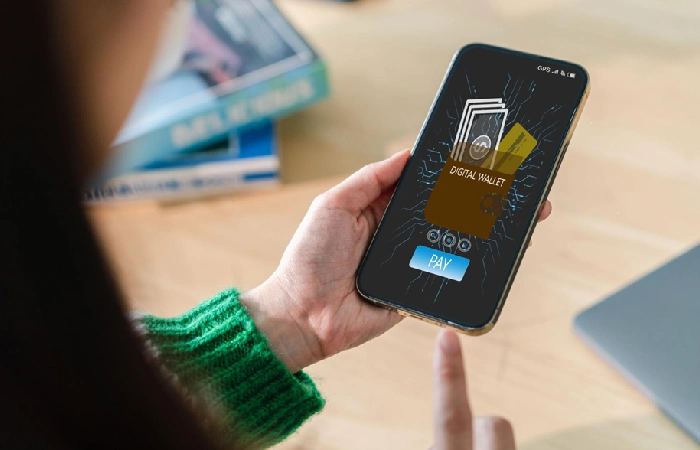
Usually, a transaction made through your mobile phone happens in the following way:
- Download trusted Payment Apps from the store.
- Register your mobile number and create an account.
- Link a bank account, card, or wallet. Confirm details with security.
- Scan code or select contact.
- Select the amount of cash to be sent.
- Confirm transfer amount by a password, PIN, or Biometrics and accept.
- Your money has been successfully transferred; get a receipt.
UPI vs Digital Wallets
| Feature | UPI | Digital Wallet |
| Money source | Usually linked directly to a bank account | Prepaid wallet balance or linked payment methods |
| Bank account required | Generally yes | Not always |
| QR payments | Yes | Yes, depending on provider |
| Person-to-person transfers | Yes | Depends on the wallet |
| Transaction authorization | UPI PIN or supported authentication | Wallet PIN, password, OTP, etc. |
| Typical use | Bank-to-bank payments | Payments using stored wallet balance |
The exact features vary between payment providers and can change as financial regulations and app services evolve.
UPI Payments Explained
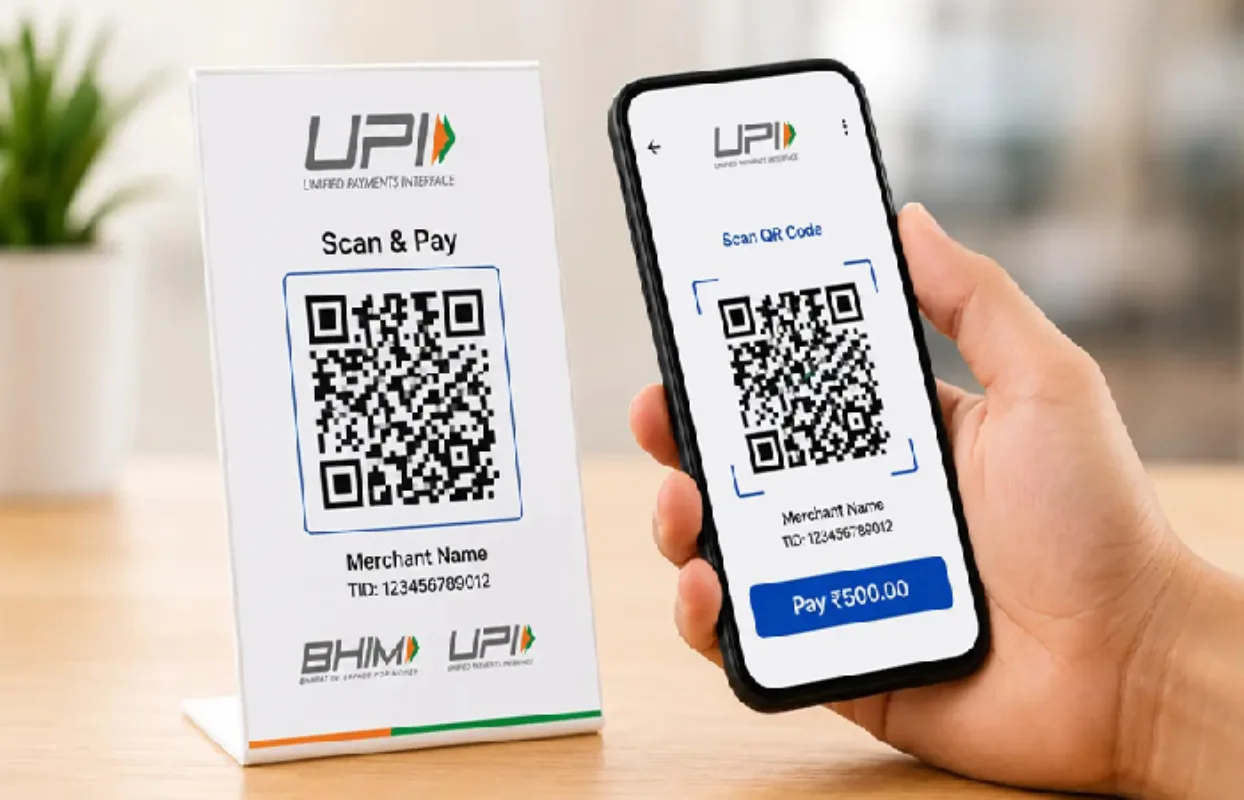
With UPI, one can transfer money between accounts of banks involved in the system via mobile device. While you would require to enter long bank account details for every transaction when paying, you are generally allowed to send money by opting forUPI ID,mobile number,QR code or other given method of payment identifier. For example when paying money to a shopkeeper you can click to theUPI app activated on your device, scan the QR code at shop and add the money along with authorize the payment by providing UPI PIN.
Why UPI Is Popular
UPI is useful because daily payments can be made in relatively fast and simple way. You could use it for:
- Transactions in shops (retail)
- Online payments
- Bills (utilities)
- Table payments at restaurants
- Transferring money to friends/family
- Splitting the bill
- Small business payments
- Receiving payment from customers
UPI Payment Example
| Step | What Happens |
| 1 | Open a UPI-enabled payment app |
| 2 | Select Scan & Pay or another payment option |
| 3 | Scan the recipient’s QR code |
| 4 | Check the recipient and amount |
| 5 | Enter your UPI PIN when required |
| 6 | Wait for transaction confirmation |
| 7 | Keep the confirmation for your records |
Important: Do not enter your UPI PIN to receive any money. For any genuine incoming payment it does not typically ask to put UPI PIN to receive money.
Best Digital Wallet Apps
One form of electronic transaction is through digital wallets. The concept of the wallet varies from one provider and country to another. Money could either be directly stored in the wallet or the saved credentials can be used at checkout for quick payments.
Some commonly accessed digital payment platforms available are bank-run apps, UPI apps, mobile money wallets or a general-purpose financial app. People widely access app interfaces of Google Pay, PhonePe, Paytm as well as different bank applications. Features can differ across different interfaces.
When you’re selecting a digital payment app
- These factors can determine whether a particular app, contactless system or payment method would work best for you:
Security factors; look out for such things as PINs, biometric scan devices, device verification, and transaction alerts. - Bank compatibility; you need to find out if your bank and all the individual accounts you would want to access on this payment system have already been fully integrated.
- Merchantability; you should try to know if there is anywhere you pay routinely for such things where this particular payment system will be accepted.
- Limits of transactions; every different payment method used can have particular transaction limits placed on it.
- Customer service- it can get really frustrating when transactions fail. You always want to ensure someone is available, ready, and very competent, at any rate, to attend to your plight whenever the payment system fails at the least expected time.
- Usability-A user-friendly interface can decrease payment errors.
Comparing Payment Options
| Payment Method | Best For | Main Advantage |
| UPI | Bank-to-bank transfers | Fast and convenient |
| Digital wallet | Everyday digital purchases | Convenient stored balance/payment access |
| Bank mobile app | Banking and transfers | Direct access to banking services |
| QR payment | Shops and services | Quick checkout |
| Card payment through mobile | Online purchases | Useful for merchants accepting cards |
Mobile Payment Security Tips
A lack of convenience should not remain equated to a lack of security, and since payment apps facilitate the access of your financial dealings, some general safety practices are necessary.
1. Use a Strong Device Lock
Safeguard your smartphone by setting a strong PIN, password or use a biometric lock. Do not leave it unlocked in public.
2. Never Share Your UPI PIN
Your UPI PIN, it actually allows you to make a transaction and you know, you don’t even tell you know of your friends or callers, merchants, or someone claiming to be from your bank or a payment company any of these numbers.
3. Verify the Recipient
Make sure that the name of the payee and the particulars for the transfer are correct, before you send money. Any accidental transfer may take a long time to remain reversed.
4. Beware of Fake Payment Requests
Be wary of suspicious links to payment sites, fake QR codes and payment requests, especially those generating a feeling of urgency. Do not proceed with an unauthorized transaction based on promises of reimbursement, winnings, or payments.
5. Download Apps From Trusted Sources
Do not download and install your payment application from unrecognized website or deceptive link, ensure to update your OS and application periodically.
6. Don’t Share OTPs
Banks and reputable payment services are unlikely to ask you for any sensitive authentication codes over an unsolicited phone call. Always regard unsolicited OTP requests as suspicious.
Security Checklist
| Security Habit | Why It Matters |
| Use screen lock | Prevents unauthorized phone access |
| Keep PIN private | Protects transaction authorization |
| Verify recipient | Reduces accidental transfers |
| Avoid suspicious links | Helps prevent phishing |
| Update apps | Improves security and reliability |
| Enable notifications | Helps detect unusual activity quickly |
| Use official apps | Reduces the risk of malicious software |
Sending and Receiving Money Instantly
Perhaps one of the key draws of mobile payment apps is not having to handle or exchange cash for money transfers.
If sending payment, choose the payment option you want to use, enter or scan the recipient and recipient ID details, key in the payment value and then authorize payment.
If you want to receive payment then share your supported payment identifier or QR code. Verify incoming payments using your payment app or your notification from the bank, rather than someone taking a screenshot of their transaction.
What If a Payment Fails?
Network problems, bank downtime or failed bank transaction due to mistaken bank details, and more, can cause payment to appear in a pending, failed or reverse state.
| Status | What It May Mean | What to Do |
| Successful | Payment completed | Keep the transaction record |
| Pending | Processing is incomplete | Wait and check the status before paying again |
| Failed | Payment wasn’t completed | Check the reason and retry if appropriate |
| Reversed | Money may have been returned | Verify your bank or wallet balance |
| Unknown | Status isn’t clear | Check the official transaction history or contact support |
Do not immediately send a subsequent payment upon processing your first payment as ‘pending’. You risk making a duplicate payment.
Final Thoughts
Mobile payment apps: digital money transfer just a tap away. From UPI to digital wallet to QR code and banking app, all of them have a role to play in our daily transactions. But we also need to be extremely careful while using these digital payment apps for our monetary transactions.
Pay attention to the payment details before proceeding, do not share your PIN or OTP, use only trusted apps for online transactions, and carefully check the notifications for your payment.
With such careful habits, mobile payment apps become a reliable option to handle all your financial transactions.