

How to Organize Products on an Ecommerce Website
Last Updated: September 21, 2026
Products Organization. Now, to address how to display or organize the products. This is also one of the most challenging aspect of setting up a new business. This can, more or less, reflect to the overall management style and organization style of the whole business. It can influence whether customer perceives the business as professional or not. The following are some methods on how to categorize your products on an ecommerce website.
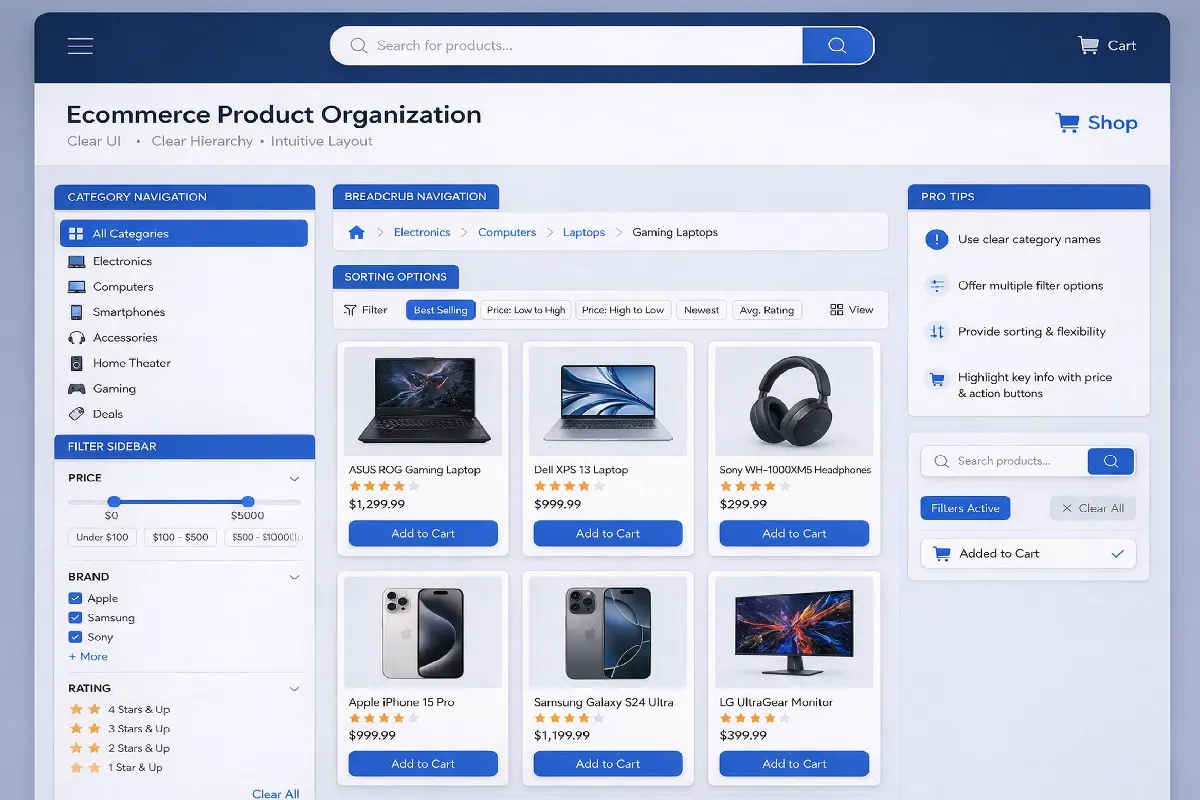
A good e-commerce site will enable the customer to quickly and easily locate products, compare alternative options and make a purchase. Product organization is essential for search engine optimization (SEO) on a website, website navigation and in defining the user experience. Poorly organized products may be difficult for a shopper to locate, and will be confusing for a search engine
Whether you‘re managing a modest online shop or an immense ecommerce platform, a structured organization can positively impact your website. The principles outlined below detail how to manage products, construct sensible categories, develop logical hierarchy, and apply filters.
How to Create Ecommerce Product Categories
Categories are used to aggregate products of the same type. Customers don‘t want to scan across the whole site when they are looking for one kind of product; the category should therefore reflect the way that a customer shops for this product.
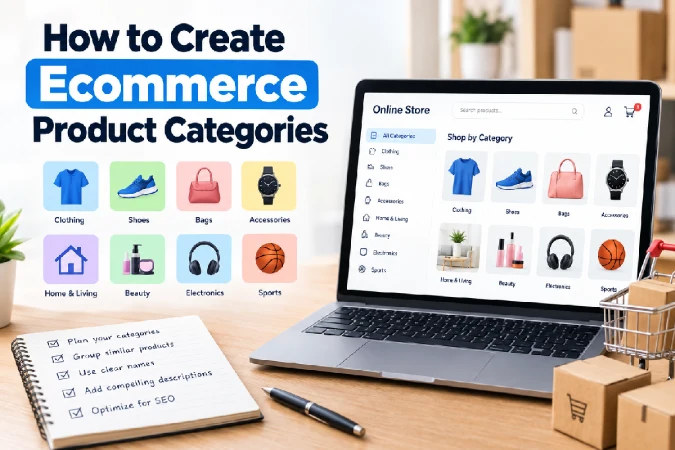
For example, an online clothing store might use categories such as:
- Men
- Women
- Kids
- Shoes
- Accessories
These main groups can then be broken down further into individual groups. Under “Men” you would have, for example, Shirts, T-shirts, Jeans, Trousers, and Jackets.
Avoid categories that are too broad and categories that are too specific. A category with hundreds of dissimilar items can be difficult to browse while a category with one or two items is unnecessary.
The naming convention for categories should use descriptive terms rather than “fun” names which customers might not recognise. For instance, if customers would normally look for running shoes then that is the more useful category name than for example, “Performance Collection.”
How to Build a Clear Ecommerce Site Hierarchy
An ecommerce hierarchy shows how the content is structured from your homepage to product pages. A clear hierarchy makes it easier for customers to browse your site and helps search engines understand the structure of your website.
A typical ecommerce structure might look like this:
Homepage → Category → Subcategory → Product
For example:
Homepage → Electronics → Headphones → Wireless headphones → Product
It‘s also advisable to keep top selling products and top selling categories as near to the home page as is reasonable. The customer should not be forced to go through several unrelated layers before finding a product.
The hierarchy should also be demonstrated in your navigation. Major categories could be on the main navigation and sub-categories could be available from a drop-down menu or category landing page.
Breadcrumb navigation is another useful feature. A breadcrumb such as:
Home > Electronics > Headphones > Wireless Headphones
These will indicate the users location and give them another way of navigating.
A logical hierarchy can also provide good internal linking possibilities. Category pages can link to the relevant subcategories and products and product pages can link back to the category they belong to.
Product Categories vs Subcategories: How to Use Them
Categories and subcategories play different roles. A category defines a wide range of products; and a subcategory define a narrow range of products.
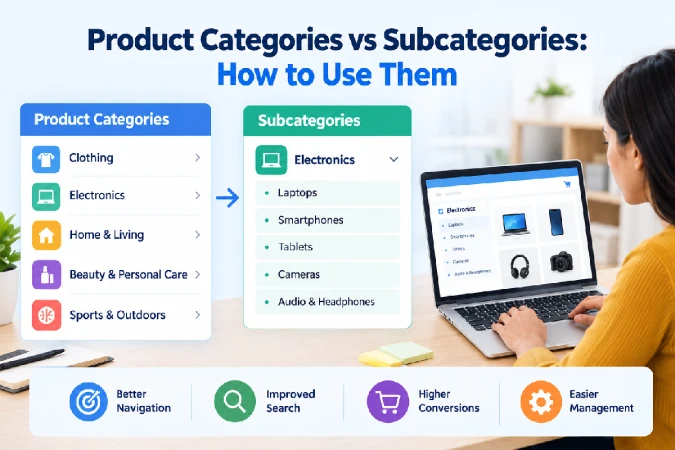
For example:
Category: Furniture
Subcategories: Sofas, Beds, Tables, Chairs
Under Sofas, you might have additional classifications such as Sectional Sofas, Reclining Sofas, and Sofa Beds.
There is no aim to have as many levels as we can. Over nesting can be difficult to navigate through. Over nesting can also create numerous click-through pages.
Develop a subcategory only when there is a logical group of products to be browsed as a single unit by consumers. It might make sense to have a filter when a group includes too few products to form a meaningful purchasing group, or does not seem like a relevant consumer desire.
Also ensure consistency. Do not organize into product categories in one section, then switch to a different categorization scheme (not based on products) in another section without reason.
How to Use Product Filters and Faceted Navigation
Filters give customers the opportunity to select desired products from a large group based on attributes like price, brand, size, color, material, rating, or availability.
For example, a customer browsing laptops might filter products by:
- Brand
- Price
- RAM
- Storage
- Screen size
- Processor
- Operating system
This navigation type is particularly helpful for stores with many product variations. For example, instead of developing each possible combination as a separate page, customers can reduce the results with the use of filters.
But filters need to be considered appropriately. There can be too many options which may confuse shoppers. Use attributes that assist customers’ buying decisions.
Intuitive Labels & Filters Group Together. Filters like price, brand, size and availability are more useful to customers than obscure technical properties which they will most probably not understand.
In terms of SEO, e-commerce sites should also address filter-generated URLs thoughtfully. Letting search engines index potentially thousands of low-value combinations can result in duplicate, thin pages, or wasted crawl budget. The specific controls used will vary from site to site. Some filtered URLs may require canonicals, no-indexes or other methods.
How Product Organisation Improves SEO and User Experience
Both usability and SEO is affected directly by the organization of the products.
In terms of user experience, easy to find products significantly ease the search for the products. Visitors can grasp what your store sells, browse between related products, and easily filter by various categories to narrow down their preferences.
Using logical structure helps alleviate frustration. A user may be looking for a specific product, and they will become frustrated if they don‘t know what category that product can be found in. It is likely that a user will leave and make their purchase with another company.
When building up categories and subcategories within your site, a good structure of category and sub-category pages can guide search engine robots as to what the pages and website topics relate to. Good URL‘s, relevant page titles, effective category descriptions, and good use of breadcrumbs and internal linking can support this structure.
For example, a URL such as:
For a list of available wireless headphones, visit: example.com/electronics/headphones/wireless-headphones/
In fact conveys a much greater amount of information than an arbitrary URL that has a cryptic product identifier embedded in it.
The category pages might try to capture some wider search queries, and subcategory pages may capture more specific ones. Products could target searches for a specific product and product models.
The importance of internal linking cannot be over-stressed. A good ecommerce structure means that authority and relevance should flow between relevant category, sub-category and product pages.
Best Practices for Ecommerce Product Organization
When organizing an ecommerce website, keep the customer journey at the center of your decisions. Consider how someone unfamiliar with your store would naturally search for and browse your products.
Follow these best practices:
- Use descriptive category names. Make categories immediately understandable.
- Keep the hierarchy simple. Avoid unnecessary levels of navigation.
- Group similar products together. Products should appear where customers expect to find them.
- Use filters for product attributes. Don’t create a separate category for every size, color, or specification.
- Add breadcrumbs. Help visitors understand their location within the site.
- Create strong internal links. Connect categories, subcategories, and products logically.
- Optimize category pages for SEO. Use useful titles, headings, content, and descriptive URLs.
- Avoid duplicate category pages. Similar categories can create confusion for users and search engines.
- Review your structure regularly. Update categories when your product range or customer behavior changes.
- Test navigation with real users. Analytics and user behavior can reveal where shoppers are struggling.
Conclusion
Successful product organization requires logic, easy to follow navigation, relevant filters and a well designed hierarchy of the site, categories must give customers an idea of what the store stocks, sub-categories must provide helpful groupings and filters make searching large product inventories easier.
The gains are not purely within navigation though. A robust ecommerce structure will be able to aid the internal linking of pages on site, help important pages be indexed more readily by search engines and allows for an SEO-centric approach to targeting relevant keyword clusters.
However the most effective ecommerce architecture is that one which makes sense for the user. It is not enough to have a structure on which SEO or conversions will be successful; the navigation needs to be easy and the user should be able to instantly know where an item should go, eliminate options and navigate back and forth between pages that have related products.